Why Are My Motorized Shades Not Working? A Patio Shade Diagnostic Checklist
You press the button and the patio shade does nothing. Or it drops a few feet and stops, or the bottom bar comes down crooked. It is a frustrating moment, and it raises the same question every time: why are my motorized shades not working?
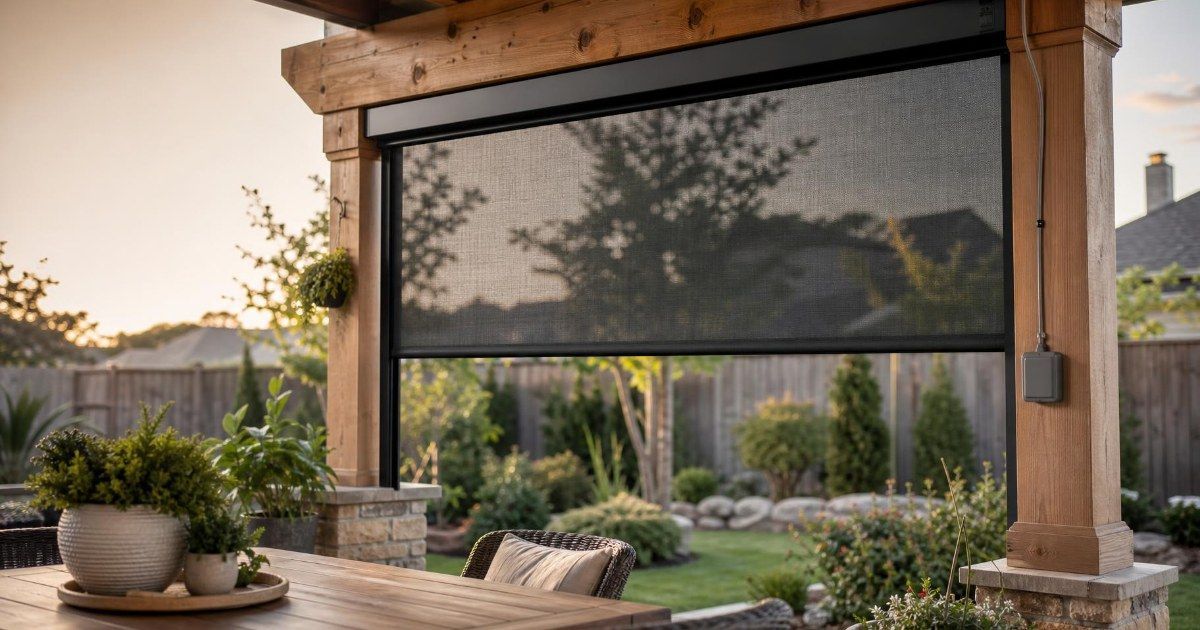
Most outdoor shade problems trace back to four things you can check in order: power, controls, the shade's path and its settings. The motor itself comes last on that list. This checklist is written for outdoor motorized patio shades and porch screens that run in side tracks, the kind Shade Doctor builds. Work through it from the top and you will either find the cause or know exactly what to tell a service technician.
Start With What the Shade Is Doing
Motorized shade troubleshooting goes faster when you begin with the symptom. Find the closest match in the table, then jump to the section named in the last column.
| What the shade is doing | Most likely cause | Where to look |
|---|---|---|
| No movement and no sound | Power loss or a spent remote battery | Check the Power First, then the remote section |
| Moves partway, then stops or reverses | Debris or an object in the path | Clear the Side Tracks |
| Goes down but will not go up | A blocked track or a drifted limit | Clear the Side Tracks, then Limit Reset |
| Bottom bar runs crooked | Debris in one track or uneven fabric roll | Clear the Side Tracks, then Signs It Is Time for Repair |
| Stops short of the floor or will not tuck into the housing | Limits that have shifted | Motorized Shade Limit Reset |
| Remote works but the app does not | Hub, Wi-Fi or a schedule override | Remote or App |
| New grinding or clicking | Mechanical wear or damage | Signs It Is Time for Repair |
If more than one row fits, begin with the earlier section in this guide. The checks run from the quickest to the most involved, and each one rules out a cause before you reach the next.
Check the Power First: Outlets, Breakers and Outages
Every other part of the system depends on power, so it comes first. The check depends on which kind of power your shade has. Shade Doctor's motors run on a battery, a plug-in transformer or hardwiring, depending on the installation, and each one fails in its own way.
A battery pack that has run low can leave the shade silent or let it move a short way and stop. Charge or replace the pack following the instructions for your motor, then try the remote again.
With a plug-in transformer, check that the plug sits firmly in the outlet and that the outlet is live. A phone charger or lamp tells you in seconds. Patio outlets are protected by a GFCI, and the National Electrical Code has required GFCI protection on outdoor receptacles since 1973. When one trips, the outlet loses power until someone presses reset. A single GFCI can protect several outlets, so the reset button may sit on a different outlet than the one the transformer uses.
A hardwired shade runs from a breaker in the panel. Look for a breaker that has settled in the middle position, switch it fully off, then switch it on. If it trips again, leave it off and call an electrician or the service team.
Storms deserve their own mention. Shade Doctor's shades need power to run and cannot be opened during an outage, so an outage is the first thing to rule out after a storm. U.S. electricity customers averaged 11 hours of power interruptions in 2024, and Hurricane Beryl left 2.6 million Texas customers without power in July 2024. Blackouts and other power disturbances can sometimes damage a GFCI, which is why the safety guidance is to test every GFCI at least once a month and after a power failure. If your shade stopped working after a storm, test that patio outlet before anything else.
Motorized Shades Not Responding to the Remote or App
When motorized blinds are not responding to the remote, the cause often sits in the remote. Replace its battery first, then press a button and watch the indicator light. A light that stays dark or flickers weakly points to the battery.
Next, check the channel. A multi-channel remote assigns one shade to each channel and usually adds an all-shades channel. If you picked the channel for a different shade, the one you are watching stays still. If the all-shades channel is selected, every shade on the remote moves together, which can look like a shade acting on its own. Select the channel for the shade you want and try again.
Then rule out range and interference. Stand within a few feet of the shade and press the button. Switch off nearby wireless devices for a minute, such as a new speaker or an extra router on the patio. Consumer radio devices are built to accept interference from other devices, even when it causes undesired operation, so a remote that works only some of the time can be reacting to its surroundings.
If the remote still gets no reaction, the shade may need to be paired again. Follow the pairing sequence written for your exact motor. A generic sequence can erase saved settings, including the limits covered later in this guide, so get the steps for your motor before you hold any buttons down.
When the remote works and the app does not, the motor is receiving commands, and the connection between your phone and the shade is the place to look. Check that the hub or bridge has power and shows online in the app. Confirm that the Wi-Fi signal reaches the patio, since a signal that is strong in the kitchen can fade at the back door. Update the app to its latest version. Then open your schedules, scenes and any wind lockout settings, because any of them can override a manual command and make the shade look unresponsive. Shade Doctor's shades work by remote, app and smart home systems and can run on a schedule, so a routine set months ago is a common culprit.
Clear the Side Tracks and the Bottom Bar's Path
A shade that stops halfway, reverses or sounds strained is often meeting something in its path. Shade Doctor's shades drop into side tracks with a weighted bottom bar, and that design is what holds the fabric steady in wind, as explained in this look at how captive side tracks keep fabric stable. The same channels collect leaves, grit, pollen and storm debris, and anything caught there can make the shade stop, reverse or labour.
Start by looking down both tracks from top to bottom with a flashlight. Remove loose debris by hand, then rinse each track with a gentle stream of water and let it drain. A hard jet of water can push grit deeper into the channel, so keep the pressure low.
Next, look at the landing zone, the patch of floor where the bottom bar comes to rest. Grills, planters, chairs, toys and a doormat pushed against the threshold can all stop the bar before it reaches the floor. Move them out of the way and check that nothing leans against the shade itself.
Because repeated commands on a blocked shade add strain, run one full test cycle and watch both ends of the bottom bar as it travels. If the bar moves evenly to the floor and back up, the path was the problem. If it stops at the same spot again, note where it stopped and carry that detail into the next checks.
Motorized Shade Limit Reset: When It Stops in the Wrong Place
Every motorized shade has an upper limit and a lower limit. The upper limit tells the motor where the fabric tucks into the housing. The lower limit tells it where the bottom bar stops at the patio floor. When those points drift, the shade stops short of the floor, overruns it, or leaves the bottom bar hanging below the housing at the top.
Limits can shift after a remote reset or a power event such as an outage or a surge. Many surges start close to home: the National Electrical Manufacturers Association estimates that 60% to 80% of power surges start inside the home, when large appliances like air conditioners switch on and off.
The reset sequence differs by motor brand, so a motorized shade limit reset needs the steps written for your motor. This check comes after the power, control and path checks because a weak battery, a wrong channel or a blocked track can look exactly like drifted limits. Resetting in those cases changes settings that were fine.
Before you change anything, note where the shade stops now at the top and at the bottom, and write down any saved settings on the remote or in the app. If the limits will not save after a reset, stop there. A motor that cannot hold its settings needs a technician.
Signs It Is Time for Motorized Shade Repair
Some signs tell you a technician should look at the shade. A grinding, clicking or buzzing sound that is new. A burning smell or a motor that runs hot. A bottom bar that stays diagonal after the tracks are clear. Fabric that wrinkles, curls at the edge or rolls unevenly on the tube. Water inside the housing. No response after every check above.
When you see one of these, stop using the shade. Forcing it by hand can damage gears and fabric that are still repairable, and the housing holds the motor and its electrical connections, which need a trained hand. Opening it yourself turns a service call into a larger repair.
Motorized blinds repair is usually a single-part fix when one component has failed, such as a motor, a control or a section of fabric. Replacement makes more sense when several parts show wear or damage at once, and a technician can tell you which applies after seeing the shade in place.
Shade Doctor's warranty covers motors and controls for 10 years, hardware for life, and fabric and mesh for 15 years. Owners request a visit through the Request for Service form on the Support and Service page, and the team replies within 2 to 3 business days. Having your notes from the earlier checks ready, including which channel you used and where the shade stopped, helps the visit go faster.
Do Motorized Shades Break Easily?
Most of the time they do not. Most "it stopped working" calls come down to power, controls, debris or settings, and the motor turns out to be fine. That is why this checklist saves its motor questions for last.
Outdoor shades do face wind, storms and lightning that indoor products never see. The National Weather Service defines a severe thunderstorm as one that can produce wind gusts over 58 mph, and some produce winds over 100 mph. Shade Doctor's hardware is guaranteed to 105 mph, and the side tracks and weighted bottom bar are what deliver that rating. Lightning caused 61,986 U.S. homeowners insurance claims in 2025, with Texas ranking third by number of claims, which is why a shade that behaves oddly after a thunderstorm is worth checking before anything else. For more on how patio shades handle severe weather, see this guide to motorized patio shades in Houston storm season.
Four habits keep problems from returning. Keep the tracks and landing zone clear. Replace remote batteries before they fade. Test the patio GFCI once a month. Check the shade's operation after every storm.
Order matters in every troubleshooting session, so the closing steps below put the checks in sequence.
Work the checks in this order: read the symptom, confirm power, test the controls, clear the path, check the limits, and then call for service. Each step rules out one cause before you reach the next, which leaves a technician with a clear history of what you already tried. When a check points to service, use the Request for Service form and the Shade Doctor team will take it from there.